09NOV2026
How to Receive YouTube AdSense Payment in Bangladesh?
Table of Contents
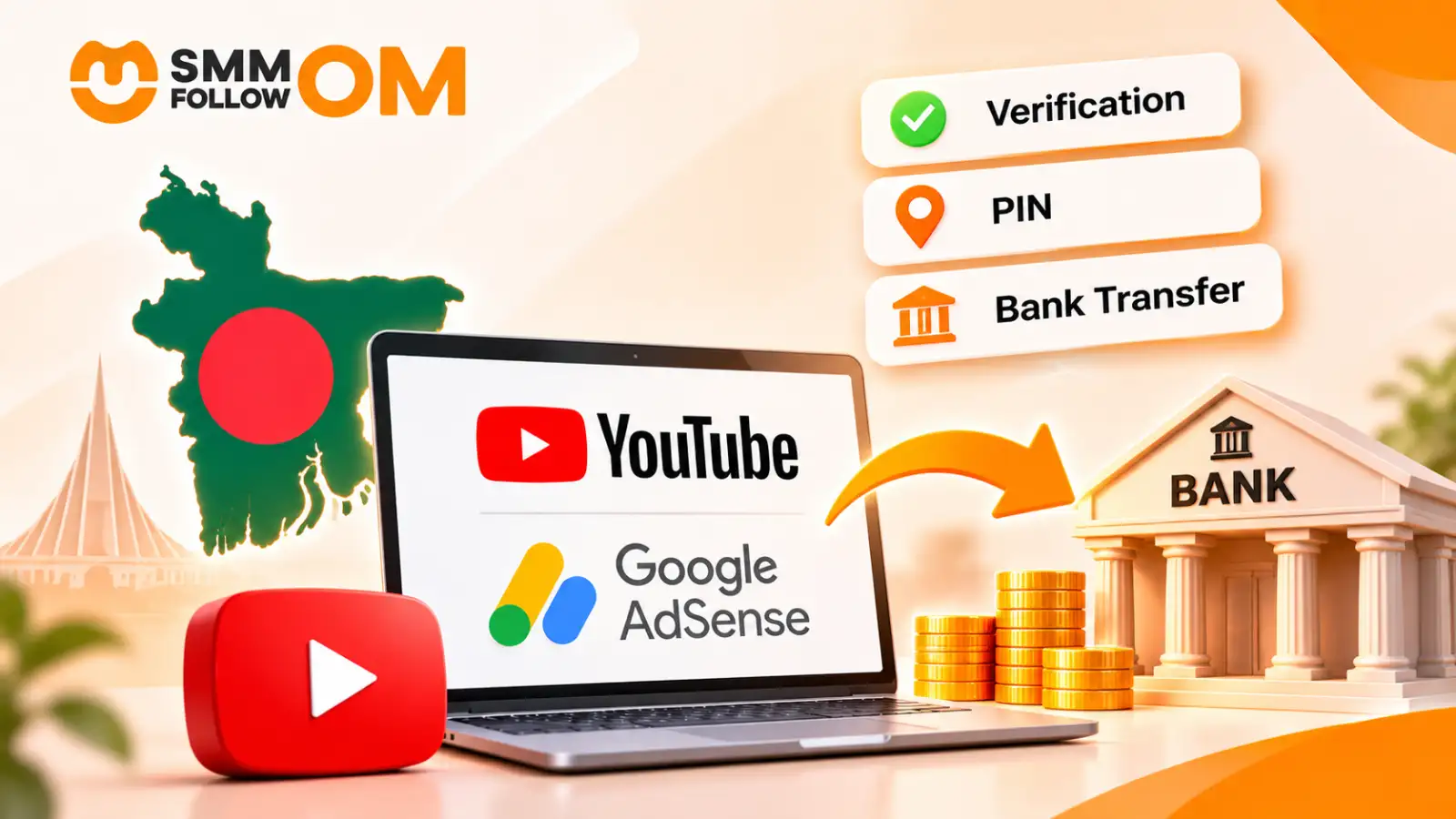
The easiest practical way to receive your AdSense for YouTube earnings is usually directly into a Bangladeshi bank account through an international wire transfer.
You do not need PayPal for this.
Google currently lists wire transfer and cheque as available YouTube payment methods for Bangladesh. EFT and Hyperwallet are not available for a Bangladesh payment address.
The difficult part for Bangladeshi creators is usually not earning the money. Problems often happen because of the AdSense name, PIN address, SWIFT details, bank compliance checks, or tax information.
Here is the process step by step.
1. Link the Correct AdSense for YouTube Account
Once your channel qualifies for the YouTube Partner Program, you need an approved AdSense for YouTube account linked to the channel before Google can pay you. If you are not there yet, watch time is usually the harder half of the two requirements.
Create or connect it from:
YouTube Studio → Earn → Sign up for AdSense for YouTube
Google specifically warns creators not to create unnecessary duplicate accounts. Only one AdSense or AdSense for YouTube account is allowed under the same payee name, and duplicate accounts may be rejected.
Problem: You already created an AdSense account before
This is common.
Maybe you previously used AdSense for a website or created an account years ago and forgot about it.
If you create another one instead of linking the existing account, Google may flag it as a duplicate.
What to do
Search your Gmail accounts for emails from:
adsense-noreply@google.com
If an existing AdSense account is already under your payee name, connect that account through YouTube Studio instead of opening another one.
Also avoid using someone else's AdSense account just because they already have one. Your channel should be connected to the correct account belonging to the actual payee.
2. Enter Your Real Name and Bangladesh Address Correctly
Before your earnings reach the verification stage, check the information inside your Google payment profile.
Your:
- payee name
- address
- district
- postal code
- country
should be accurate.
This matters twice.
Google may use the information for identity verification, and it also sends the AdSense PIN to your physical address.
Problem: Your AdSense name is different from your documents
For example:
Your official name is:
Md Tanvir Ahmed
but your payment profile says:
Tanvir A.
That can create problems later when Google verifies your identity or when the receiving bank checks the beneficiary information.
What to do
Use your proper legal name consistently. The safest setup is to keep the name used for:
Google payment profile → identity document → bank account
as consistent as possible.
Do not use your YouTube channel name as the payee name unless that is also the legal business/entity receiving the money.
3. Complete Identity Verification
Google asks creators to verify their identity once their earnings reach the applicable verification threshold. For USD accounts, Google's current verification threshold is $10.
Follow the instructions shown inside:
AdSense for YouTube → Payments → Verification check
Google currently gives creators 45 days from the first identity-verification request to submit the required information.
Problem: Your document gets rejected
Do not keep uploading random documents. A rejection may happen because the document is unclear, expired, incomplete, or the account information does not match.
What to do
Use the document type Google specifically offers in your own verification screen. Make sure:
- the image is clear;
- the document has not expired;
- the name is readable;
- the account information is consistent.
Do not edit the document image.
4. Receive and Verify Your AdSense PIN in Bangladesh
After identity verification, Google may send a 6-digit PIN to your Bangladesh payment address through standard mail.
Google says PIN delivery usually takes around 2 to 3 weeks, although delivery time depends on location and the local postal system.
This is one of the steps where Bangladeshi creators often face trouble.
Problem: Your address is technically correct but the post office cannot identify it
An address like:
Village: X
District: Y
may not be enough if the local postal service needs more detail.
What to do
Use an address that your local post office can actually recognize. Include relevant details such as:
- house or holding number, if available;
- road or village;
- area;
- upazila or thana;
- district;
- correct postcode.
Google itself recommends using a payment address that matches the address recognized by your local postal service.
If you live in an area where mail delivery is unreliable, it can also be useful to speak with the local post office after the expected delivery period.
Problem: The PIN does not arrive
Google allows you to request a replacement PIN after 3 weeks.
You can request another PIN every three weeks if needed. If the fourth replacement still does not arrive after another three weeks, Google directs users to its PIN troubleshooter.
Do not ignore this step.
Google currently gives you 4 months from PIN generation to complete address verification. If it remains unverified, monetization can be paused until the address is verified.
5. Submit Your US Tax Information
This step applies even though you live in Bangladesh. Google requires all monetizing YouTube creators worldwide to submit US tax information through AdSense for YouTube.
Go to:
Payments → Payments info → Manage settings → United States tax info → Manage tax info
The system asks questions and selects the relevant form based on your account type and circumstances.
For many non-US individuals, the process may lead to a W-8 series form, but do not manually choose a tax form based on a blog article. Follow Google's tax interview.
Problem: You ignore the tax section because you are Bangladeshi
That can become expensive.
Google says that if a creator does not provide valid US tax information, it may be required to withhold up to 24% of total worldwide earnings, depending on the account situation.
There is a date attached to it. Google says tax info has to be in by December 10 of the year, and that it can only refund withheld US tax in limited cases if updated info arrives by that same December 10. Miss the calendar year entirely and you have to claim the refund from the IRS yourself, not from Google.
With valid tax information, withholding applies only to earnings from US viewers, at a rate between 0% and 30% depending on whether your country has a tax treaty with the US. That is the difference the form makes: 24% of everything you earn worldwide, or 0% to 30% of the US slice only.
What to do
Submit the information accurately and check that the status becomes:
Approved
Do not claim a tax treaty benefit unless you are actually eligible for it. Google itself recommends confirming treaty eligibility with a tax adviser.
6. Reach the AdSense Payment Threshold
For a USD AdSense for YouTube account, Google's current thresholds are:
If you earn $72 this month, Google does not lose the money.
It carries forward.
If you then earn another $45, your accumulated balance becomes $117 and may become eligible for payment during the next normal payment cycle, assuming there are no holds.
7. Choose Wire Transfer in Bangladesh
Once your earnings reach the payment-method selection threshold, go to:
AdSense for YouTube → Payments → Payments info → Add payment method
For Bangladesh, Google currently provides:
For most creators, wire transfer is the more practical option because it sends the payment directly through the banking system. There is no direct AdSense payout option to:
- bKash;
- Nagad;
- Rocket;
- PayPal.
This differs from paying for local online services, where bKash works fine. Buying from an SMM panel in Bangladesh takes bKash in seconds. Google AdSense earnings follow Google's own international payout system instead.
8. Ask Your Bank for the Correct SWIFT Details
Do this before entering random banking information into AdSense. Go to your bank or contact its remittance/foreign-exchange desk and ask:
“I need to receive an international SWIFT wire from Google for online creator income. What exact bank details should I use?”
Google says the information needed for a wire can include:
- account holder name;
- bank name;
- bank account number;
- SWIFT-BIC;
- intermediary bank details, if your bank requires them;
- further-credit instructions, if required.
Problem: You find a SWIFT code from Google search and copy it
Do not do this.
A bank may have:
- a head-office SWIFT code;
- different instructions for different currencies;
- correspondent-bank details;
- branch-specific requirements.
Google itself advises users to contact their bank when they are unsure about international wire information.
Real Bangladesh example
Eastern Bank publishes specific inward-remittance instructions and lists the information customers need when receiving funds from abroad, including its SWIFT details and account information.
It also explains that foreign currency converted into an onshore BDT account uses the bank's prevailing TT Clean Buying rate.
Dutch-Bangla Bank also states in its customer charter that it supports inward remittance through telegraphic transfer and its SWIFT network.
These are examples, not a recommendation that every creator must use those banks.
Your own bank should give you the correct instructions for your specific account.
9. Add the Bank Account to AdSense Exactly
Once the bank confirms the details, return to:
Payments → Payments info → Manage payment methods → Add payment method
Enter the information exactly as your bank provided it. Google specifically says bank details should match the information held by the receiving bank.
Ask the bank how your beneficiary name appears in its own records, and match the AdSense payee name to that exactly. A small difference may still clear, but it invites a compliance question.
What to do
Fix any mismatch before the first payout, not after a payment is already stuck in the correspondent bank.
10. Wait for Google's Monthly Payment Cycle
YouTube does not pay immediately after your balance reaches $100. AdSense operates on a monthly payment cycle. Google says eligible payments are normally issued between the 21st and 26th of the month when:
- your balance has reached the threshold;
- required payment information is complete;
- no payment hold exists.
Changes to payment information or payment holds generally need to be completed by the 20th to affect that month's payment.
For wire transfers, Google says the payment can take up to 15 business days to reach the bank account after it is issued.
So:
Payment issued on the 22nd does not mean money must appear on the 22nd.
11. Be Ready for a Bangladesh Bank Compliance Check
Receiving money from abroad into Bangladesh is legal, but banks still have to comply with foreign-exchange and AML requirements.
Bangladesh Bank's 2026 guidance for freelancers and individual service exporters says Authorized Dealer banks may verify online service income using electronic evidence such as:
- contracts;
- emails;
- invoices, if available;
- platform statements;
- digital communications;
- inward-remittance messages.
The same 2026 guidance says qualifying inward service-export remittances of up to USD 20,000 or equivalent may be credited without Form-C under that framework, while amounts above the threshold require the applicable online Form-C process unless another rule applies.
Important point for YouTubers
Don't assume every bank will automatically classify AdSense earnings the same way as freelance service-export income.
The bank decides how it must document the incoming payment under Bangladesh Bank rules.
What to keep ready
Save:
- your AdSense payment receipt;
- AdSense transaction statement;
- YouTube Studio revenue records;
- Google payment email;
- AdSense for YouTube terms;
- your channel information;
- tax documents if relevant.
Google allows creators to download a payment receipt from the Transactions page for each payment. If your bank calls and asks:
“What is the purpose of this remittance?”
you can show that it is creator/platform income from Google instead of trying to explain it verbally without evidence.
12. Understand USD-to-BDT Conversion
A common question is:
“AdSense showed $500. Why didn't I receive exactly $500 worth of Taka using the Google exchange rate?”
Because Google Search's exchange rate is not necessarily the rate your bank uses.
A Bangladeshi bank may apply its own applicable foreign-exchange buying rate when converting an incoming foreign-currency payment to BDT.
For example, Eastern Bank states that conversion to an onshore BDT account uses its prevailing TT Clean Buying rate.
Charges may also apply somewhere along the international wire route, depending on the banks involved.
So compare:
Google payment amount → intermediary deductions, if any → receiving-bank conversion → BDT credited
rather than comparing only the amount against a public currency converter.
13. Keep Your AdSense Income Records
Do not delete payment emails after the money arrives.
Create a simple folder for every payment month.
Keep:
- YouTube revenue report;
- AdSense finalized earnings;
- US tax withholding;
- payment receipt;
- bank credit statement;
- conversion amount in BDT.
If you also earn from sponsorships, affiliate work, freelancing, e-commerce, or other online activities, keep those transactions separate from your YouTube AdSense records.
That makes bank compliance and tax reporting much easier later.
14. Handle Bangladesh Tax Separately From Google's US Tax
Submitting the Google US tax form does not automatically settle your Bangladesh tax obligations.
They are two different issues.
Google's US withholding relates to US tax rules and relevant YouTube revenue. Bangladesh's tax treatment depends on Bangladesh law and your own circumstances.
NBR's current guidance shows that Bangladesh income-tax returns can include taxable income arising outside Bangladesh, and NBR maintains separate rules on who must register, submit returns and report income.
Bangladesh's Income Tax Act also contains specific provisions and exemptions for certain foreign income.
But you should not automatically assume that YouTube AdSense revenue qualifies for a particular exemption simply because Google sends the money from abroad.
The source and nature of the income matter.
What to do
If your channel has become a regular source of income, keep the payment records and speak to:
- an NBR tax office;
- a qualified tax practitioner;
- an accountant familiar with digital/foreign earnings.
For the 2026-27 tax year, NBR says online return filing is mandatory for most individual taxpayers, with specified exceptions.
Can You Receive YouTube AdSense Payment Through bKash or Nagad?
Not directly. Google's current payment-method table for Bangladesh lists wire transfer and cheque, not bKash, Nagad, EFT or Hyperwallet.
You can receive the wire into your Bangladeshi bank account and then use your money through your normal banking or mobile-financial-service channels afterward. You can easily pay through bKash, but getting payment here is kinda tough.
Best Banks for YouTube AdSense Payments in Bangladesh
No single bank is automatically the “best” for every YouTube creator in Bangladesh.
For AdSense, a good bank can receive international SWIFT payments smoothly, provide the correct beneficiary details, explain its foreign-remittance process clearly, apply reasonable charges, and convert incoming USD to BDT without unnecessary delays.
You should also check how easy it is to contact the bank if Google shows the payment as issued, but the money hasn't yet appeared in your account.
Some commonly considered options are:
- Eastern Bank PLC (EBL)
- BRAC Bank PLC
- Dutch-Bangla Bank PLC (DBBL)
- IFIC Bank PLC -
Before choosing any of them, ask the bank for its current SWIFT/BIC code, incoming-wire instructions, possible correspondent-bank charges, required documents, and USD-to-BDT conversion process.
The best choice is the bank that gives you clear international payment instructions and can handle recurring Google payments with the least confusion for your specific account.
When Should You Contact Your Bank?
Contact the bank before your balance reaches $100, not after Google sends the money.
Take your account information and tell the bank:
“I am expecting recurring international wire payments from Google for YouTube/AdSense income. Please give me the exact beneficiary and SWIFT instructions I should enter.”
This gives you time to solve a bank problem before Google's monthly payment window.
FAQs About YouTube AdSense Payments in Bangladesh
Can I Change My AdSense Bank Account Later?
Yes. You can add or update a payment method in AdSense for YouTube. However, Google says payment-detail changes made after the 20th of the month may not affect that month’s payment cycle.
Can I Use a Bank Account From Another Country?
Not if your AdSense payment address is in Bangladesh. Google says the bank or bank branch used for a wire transfer must be located in the same country as the address in your AdSense payment settings. A foreign bank SWIFT code may therefore be rejected for a Bangladesh payment profile.
Do I Need a Test Deposit Before Receiving a Wire?
No. Google states that bank accounts used for wire transfers do not need to be verified with a test deposit. You still need to enter the correct account and SWIFT details your bank provides.
Can I Change My AdSense Country From Bangladesh Later?
No. Google does not allow the payment country of an existing AdSense account to be changed. If you permanently move to another country, Google says you generally need to close the existing AdSense account and create a new one for the new country.
What Happens If I Change My Name After Identity Verification?
Changing the payment-profile name can be more difficult after Google verifies your identity. Google says verified users may not be able to edit the payment name directly and may need to contact support if there is a valid reason, such as a legal name change.
Share this on social media


Recently Posted Blogs
05NOV2026
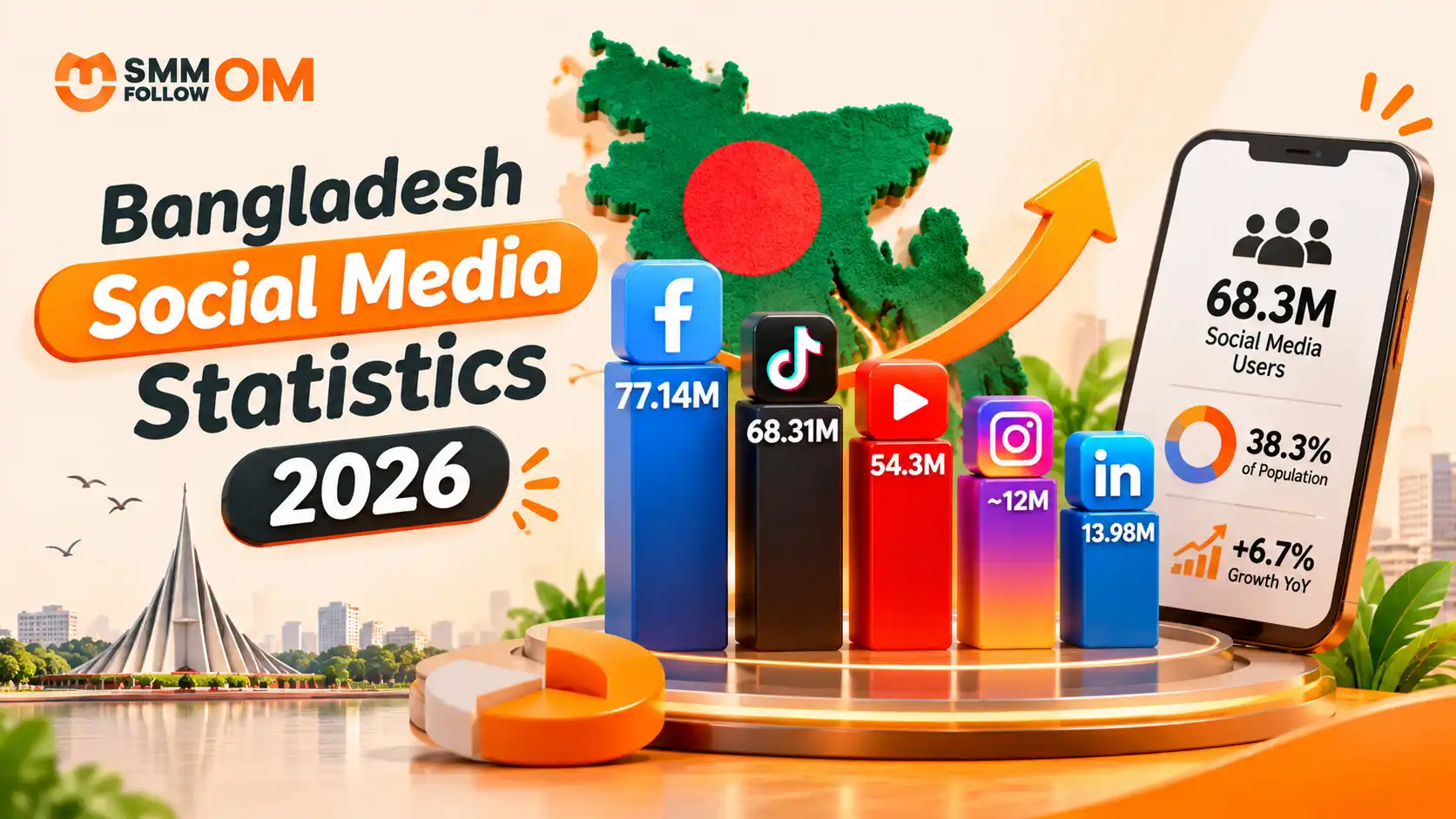
Bangladesh Social Media Statistics 2026
Bangladesh's social media audience continued to grow in 2026, but many articles still quote numbers collected in 2025. That matters. DataReportal's Digital 2026: Bangladesh report was published for the 2026 planning cycle, but most of its figures were collected in October 2025. DataReportal itself makes this date difference clear.
Read More
01NOV2026
How to Get More Views on TikTok? Organic & Paid Ways
You do not need thousands of followers to get more views on TikTok. TikTok's For You feed recommends videos based on what individual users may find relevant. TikTok says signals such as what people watch, skip, like, share, and comment on help shape those recommendations, with user interactions generally carrying more weight than other factors.
Read More
30OCT2026
Best Time to Post on TikTok in 2026: Day, Industry and Your Own Data
The best time to post on TikTok is Tuesday through Thursday between 2 PM and 6 PM local time. That does not mean 3 PM will work for every account. TikTok itself says the best posting time is unique to each account because audiences have different demographics and activity patterns. It recommends using audience analytics and testing what produces the strongest response for your content.
Read More