02AUG2026
Why SMM Panel Orders Drop or Fail? Common Reasons and Fixes
Table of Contents
SMM panel orders can drop or fail for many reasons. Sometimes the issue comes from the service quality. Sometimes it happens due to platform cleanup, incorrect links, private accounts, duplicate orders, or unclear service rules.
For example, followers, likes, views, or subscribers may drop if the platform removes inactive or suspicious engagement. An order may also fail if the link is broken, the post is deleted, the account is private, or the selected service does not support that link.
This does not mean every failed or dropped order is a scam. In many cases, it happens because the user did not read the service details or the service itself had limited retention.
In this guide, we will explain why SMM panel orders drop or fail, what different order statuses mean, and how you can reduce these issues before placing your next order.
What Does “Order Drop” Mean in an SMM Panel?
An order drop means some delivered followers, likes, views, subscribers, or engagement disappear after the order is completed.
For example, you may order 1,000 Instagram followers, and the order may show as completed.
But after a few days, the number may go down to 900 or 850. This is called a follower drop. The same thing can happen with likes, views, subscribers, reactions, or other engagement.
Drops can happen for different reasons. Social media platforms often remove inactive, fake-looking, or suspicious accounts. Sometimes service quality is low, so the retention rate is weak. In other cases, the service may clearly mention that some drop is possible.
This is why the refill policy matters. Some SMM panel services include refill support, which means the panel may replace the dropped amount within a certain period.
But some services are no-refill, so dropped followers, likes, or views may not be replaced.
How much drop is normal depends on the service tier you picked. Cheap vs premium SMM panel has the expected drop range for each one.
Why Do Followers, Likes, Views, or Subscribers Drop?
Followers, likes, views, or subscribers may drop when a social media platform removes inactive, fake-looking, suspicious, or low-quality engagement. This can happen even after an SMM panel order shows as completed.

Common reasons for drops include:
- Social media platforms are cleaning fake or inactive accounts
- Low-quality followers or bot-like engagement
- Cheap services with poor retention
- Views or likes are being removed after platform checks
- Services that clearly mention a possible drop rate
- Ordering too much engagement too quickly
This is why retention and refill rules matter. A high-retention service usually holds better than a low-retention one. If the service includes a refill, the panel may replace the dropped amount within a certain period.
But if the service is marked as no-refill, the dropped followers, likes, or views may not be replaced.
So, drops do not always mean the panel failed. Sometimes they happen because of platform cleanup, service quality, or the type of service you selected. Before ordering, always check the drop rate, refill availability, and service description.
What Do Pending, Processing, Partial, Cancelled, and Completed Mean?
Order status tells you what is happening with your SMM panel order. When you place an order, it does not always complete instantly. It may go through different stages depending on the service, delivery speed, link quality, and provider system.
Here are the most common order statuses you may see:
| Order Status | Meaning |
|---|---|
| Pending | The order has been placed, but has not started yet. |
| Processing | The service has started, and delivery is in progress. |
| Completed | The order has been delivered successfully. |
| Partial | Only part of the order was delivered. The remaining balance may be returned depending on the panel rules. |
| Cancelled | The order could not be completed or was stopped before delivery. |
| Refill | Dropped followers, likes, views, or engagement; replace if the service is eligible. |
A pending order does not always indicate a problem.
Some services take time to start. A processing order indicates that delivery is already in progress. A completed order means the panel has finished the delivery.
Partial and cancelled orders need more attention. A partial order usually happens when the full quantity cannot be delivered. A cancelled order may happen because of a wrong link, private account, deleted post, unavailable service, or a provider issue.
If your order is partial, cancelled, or stuck for too long, check the service description first. Then contact support with your order ID so they can review the issue.
What Causes Failed Orders and How to Fix Them?
Most SMM panel order mistakes can be fixed by checking the link, account status, service rules, and order details before placing the order. A few small checks can prevent failed, partial, or delayed orders.

Fix the Link Before Ordering
Always submit the exact link required by the service. If the service asks for a post link, do not submit a profile link. If it asks for a video link, do not submit a channel link.
Before placing the order, open the link in another browser or incognito mode to make sure it works.
Make the Account or Content Public
If your account, post, video, page, or channel is private, the service may not work. Make it public before ordering and keep it public until the order is completed.
This is important for Instagram, TikTok, Facebook, YouTube, Telegram, and other platform services.
Avoid Duplicate Orders
Do not place multiple orders on the same link at the same time unless the service clearly allows it. Wait until the first order is completed before placing another one.
Duplicate orders can confuse the delivery system and cause delays, partial deliveries, or failed deliveries.
Do Not Delete the Post After Ordering
Keep your post, reel, video, page, or channel live until the order is fully completed. If you delete the content during delivery, the panel cannot properly continue the order.
Do Not Change Username During Delivery
Avoid changing your username, profile URL, page link, or channel link while an order is processing. If the link changes, the panel may still try to deliver to the old link.
Wait until the order is completed before making profile changes.
Choose Quality Over the Cheapest Service
The cheapest service may look attractive, but it can come with higher drop rates, slower delivery, or no refills. Check the service description, delivery speed, refill policy, and quality notes before ordering.
For important orders, choose a stable service instead of focusing only on price. Read our How to Choose the Best SMM Panel guide to learn what to compare before choosing a provider.
Check Minimum and Maximum Order Rules
Every service has its own order limit. Make sure your order amount is within the minimum and maximum.
Also, check the start time, delivery speed, refill option, and link format before submitting the order.
What Is Start Count and Why Does It Matter?
Start count is the number of followers, likes, views, subscribers, or engagement your link had before the order started. It helps the panel and the user measure how much was delivered.
For example, if your video had 1,000 views before ordering and you ordered 500 views, the expected count should be around 1,500 after delivery. In this case, 1,000 is the start count.
Start count matters because it helps track:
- How much service was delivered
- Whether the order increased correctly
- Whether any drop happened after completion
- Whether a refill is needed
- Whether the count issue is real or just a misunderstanding
If you do not check the start count, it can be hard to know whether the order was delivered properly. That is why the start count is important for order tracking, refill requests, and support review.
Why Does My Order Show Completed But the Count Did Not Increase?
If your SMM panel order shows as completed but the count has not increased, it may be due to a platform delay, an incorrect link, a hidden count, a drop after delivery, or a mismatch between the start count and the current count.

Sometimes the platform takes time to update the public number. For example, views, likes, followers, or subscribers may not appear immediately, even after the order is marked as completed in the dashboard.
Common reasons include:
- The submitted link was wrong
- The account, post, or video was private
- The platform count is delayed
- The service delivered but dropped quickly
- The platform removed low-quality engagement
- The start count was already higher or lower than expected
- The same link had another active order
- The count is hidden or not publicly visible
Before opening a support ticket, check the link again, refresh the platform, compare the start count with the current count, and wait for the normal update time specified in the service details.
How Do You Request a Refill?
You can request a refill when your order drops and the selected service supports refills. Refill means the panel may replace the dropped followers, likes, views, or engagement within the allowed refill period.
To request a refill, first check whether the service is refill-eligible. If it is, go to your order history and look for a refill option. If there is no refill button, contact support with your order details.
Send support these details:
- Order ID
- Service name
- Submitted link
- Start count
- Current count
- Drop amount
- Screenshot, if needed
Not every order can be refilled. If the service is marked as no-refill, or the refill period has ended, replacement may not be available. Always check the refill policy before placing an order.
Can Drip Feed Reduce Drops or Failures?
Drip feed can reduce sudden spikes by spreading the order over time. Instead of delivering all followers, likes, views, or engagement at once, it delivers them gradually in smaller parts.
This can help the growth look more natural, especially for larger orders, new accounts, or campaign-based delivery. For example, getting 1,000 followers in a few minutes may seem sudden, but gaining smaller numbers over several hours or days looks more balanced.
However, drip feed cannot fully prevent drops or failed orders. Even if service quality is poor, the link is wrong, the account is private, or the platform removes low-quality engagement, drops can still occur.
So, drip feed can help with smoother delivery, but it is not a complete fix. Service quality, link accuracy, platform cleanup, and refill rules still matter.
Platform-Specific Reasons Orders Drop or Fail
Different platforms can have different reasons for drops or failed delivery. Instagram, YouTube, TikTok, Facebook, Telegram, LinkedIn, and X do not handle followers, views, likes, reactions, or engagement in the same way.

That is why one service may work smoothly on one platform but fail or drop on another.
Instagram Orders
Instagram orders may be cancelled or fail due to private profiles, incorrect links, deleted posts, or low-quality followers. For example, if you order Instagram likes but submit a profile link instead of a post link, the order may not start properly.
Instagram followers may also drop if the platform removes inactive or suspicious accounts. To avoid issues, keep your account public, use the correct profile or post link, and check whether the service includes refills.
YouTube Orders
YouTube orders can fail if the video link is invalid, the video is private, has been deleted, is restricted, or is unavailable in some regions. Views, subscribers, and watch time can also drop if YouTube removes invalid or low-quality activity.
For YouTube services, always submit the correct video or channel link. Also, make sure the video is public and available before placing the order.
TikTok Orders
TikTok orders may fail if the account is private, the video is removed, or the link format is wrong. TikTok followers, likes, or views may also drop if the engagement looks low-quality or if the platform removes suspicious activity.
Fast delivery can sometimes look unnatural, especially on a new TikTok account. For larger TikTok orders, gradual delivery is usually a better option.
Facebook Orders
Facebook orders may be delayed or fail due to incorrect page links, restricted posts, deleted content, or privacy settings. Page likes, followers, post reactions, comments, and video views may not deliver properly if the page or post is not accessible.
Before ordering Facebook services, check whether the page, post, reel, or video is public, and the link matches the selected service.
Telegram Orders
Telegram orders can fail if the channel or group is private, the invite link is wrong, or the post link is not accessible. Telegram members may also leave after delivery, especially if the service quality is low.
For Telegram services, ensure the channel or group link works and remains active until the order is completed.
LinkedIn and X Orders
LinkedIn and X orders need extra care because both platforms are more sensitive to profile quality and engagement patterns. Low-quality engagement, wrong post links, restricted profiles, or sudden spikes can cause delivery problems or drops.
For LinkedIn followers, X engagement, reposts, likes, or impressions, gradual delivery is usually better than pushing everything too quickly. Always use the correct profile or post URL and avoid duplicate orders on the same link.
Final Thoughts
A dropped or failed SMM panel order does not always mean something went wrong from your side. Sometimes it is a service issue, sometimes it is platform filtering, and sometimes it is just a tracking or status delay.
The smart move is to treat every order as something you can measure. Know the start count, follow the order status, save the order ID, and understand whether refill support is available.
That way, you are not guessing when something changes. You know what to check, what to report, and when to contact support.
In the end, better ordering habits help you avoid confusion, reduce wasted money, and get a clearer result from every SMM panel service you use.
Frequently Asked Questions
What does partial order mean?
A partial order means only part of your order was delivered. For example, if you ordered 1,000 followers and only 700 were delivered, the remaining balance may be returned depending on the panel’s rules.
Can I get a refill if followers drop?
You can request a refill only if the service includes refill support and the drop happens within the allowed refill period. If the service is marked as no-refill, replacement may not be available.
Why is my order still pending?
Your order may stay pending if the service has not started yet, the provider is busy, or the link needs to be checked. Some services start quickly, while others take more time.
Can a wrong link cause order failure?
Yes. A wrong, broken, private, deleted, or unsupported link can cause the order to fail, remain pending, or be delivered incorrectly. Always check the link before submitting the order.
Does drip feed stop order drops?
No, drip feed does not fully stop order drops. It only spreads delivery over time and may reduce sudden spikes. Service quality, platform cleanup, and refill rules still matter.
How can I avoid failed SMM panel orders?
Use the correct link, keep your account or content public, read the service description, avoid duplicate orders, choose refill-supported services, and start with a small test order first.
Share this on social media


Recently Posted Blogs
19OCT2026
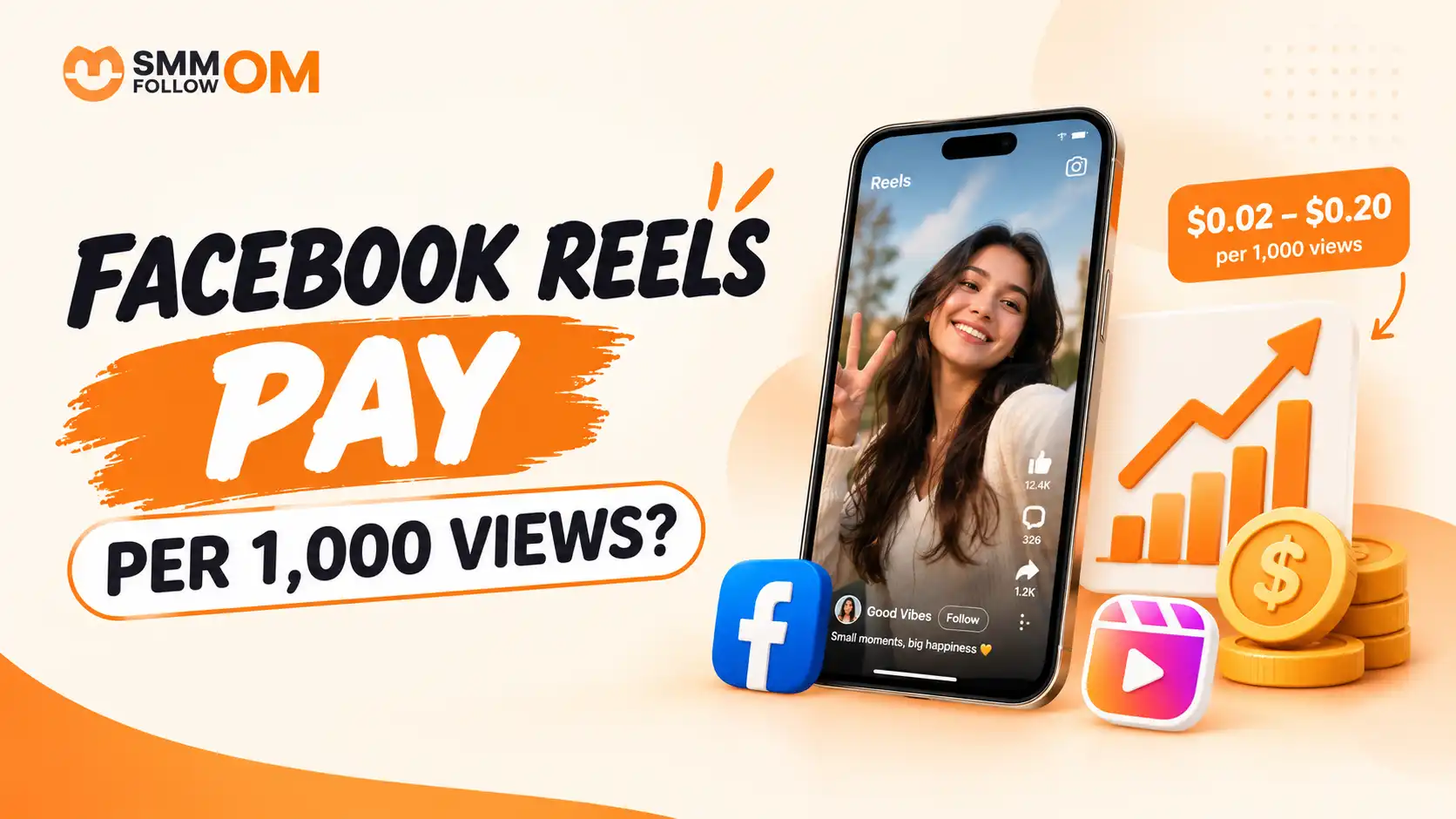
How Much Does Facebook Reels Pay Per 1,000 Views?
You can earn $0.02 to $0.20 per 1,000 views, with many estimates closer to $0.05 to $0.10 per 1,000 Reel views. Numbers above $1 per 1,000 views almost always come from longer videos or a US finance-style audience, not from ordinary Reels. The variation depends on your niche and country. Also, higher numbers may mix Reels earnings with longer-video ad earnings, so they aren't always a good estimate for Reels alone.
Read More
17OCT2026
How to Increase Facebook Followers in 2026: 12 Practical Ways That Actually Help
Increasing Facebook followers is no longer just about posting often. Facebook recommends content based on signals such as what people watch, like, comment on, and show interest in. That means growth depends more on who sees your content, why they visit your Page, and whether they want to follow it.
Read More
15OCT2026
How to Improve Your Facebook Business Page: 13 Practical Steps
Facebook is still the largest social platform in the world, with over 3 billion monthly users at Meta’s last published count. That reach is why the Page itself needs to work, not just the posts you put on it.
Read More