03OCT2026
What Is a Child Panel in SMM Panel? How It Works for Resellers
Table of Contents
A child panel in SMM is a branded reseller panel that depends on a larger parent panel for much of its service supply, order processing, or backend infrastructure.
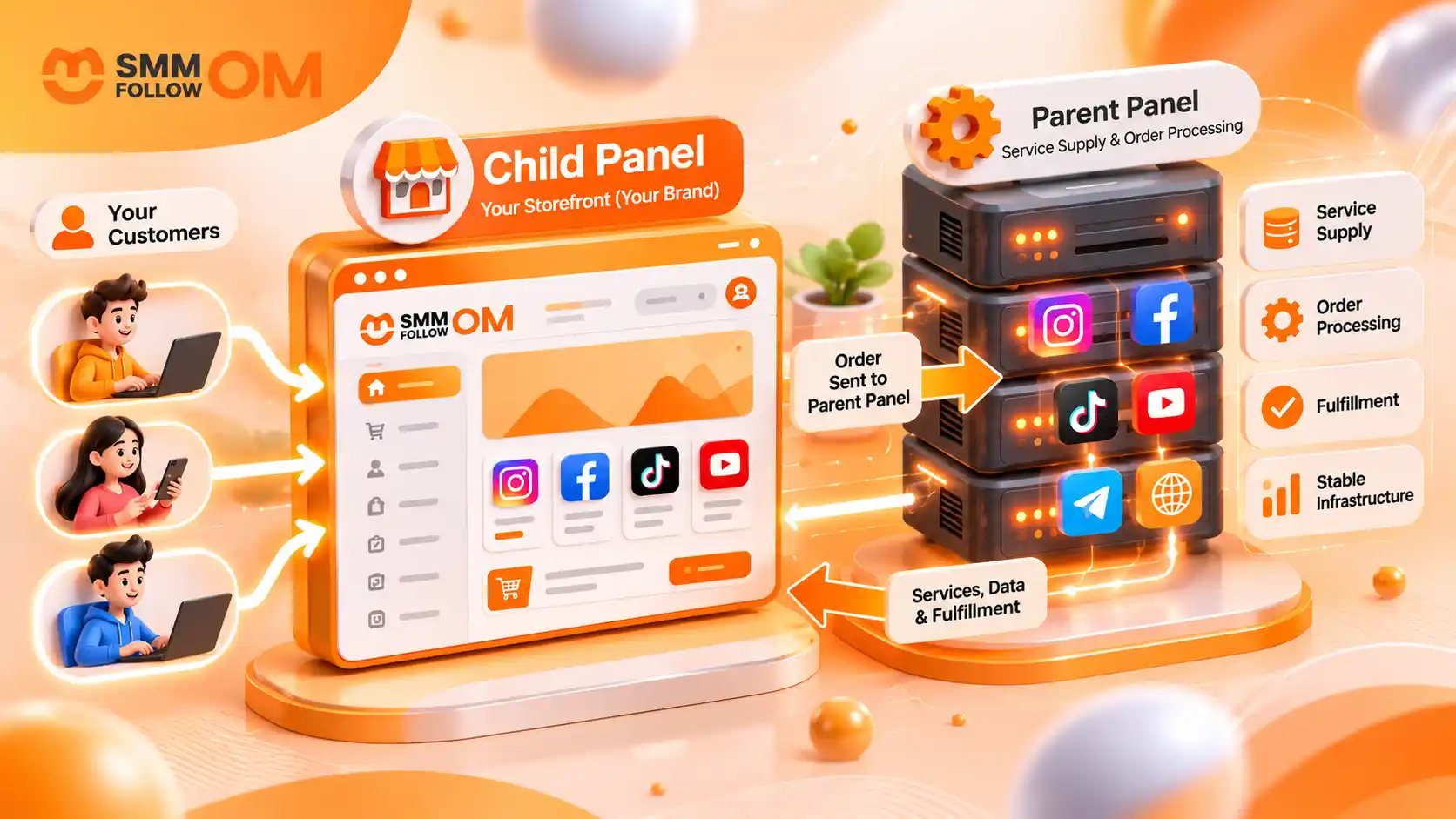
The child panel is your storefront, and the parent panel is the engine behind the store. Your customers deal with your brand, but you do not necessarily control every provider, service, or technical system responsible for fulfillment.
What Is a Child Panel in an SMM Panel?
A child panel in SMM is a white-label reseller panel that operates through a larger parent or main SMM Panel. It lets you sell social media services under your own domain, branding, and retail prices while relying on the parent panel for much of the backend system, service supply, and order processing.
Depending on the child-panel provider, you may be able to control:
- Your domain name
- Brand name and logo
- Website colors or theme
- Customer accounts
- Retail service prices
- Service visibility
- Customer support
- Payment methods
- Basic website pages and content
However, you typically don't control the entire upstream supply chain. The parent panel may determine which services are available, what those services cost you, how they are routed, and what happens when the upstream provider has a technical problem.
Difference Between Child Panel, Reseller Account, API, or Custom Panel
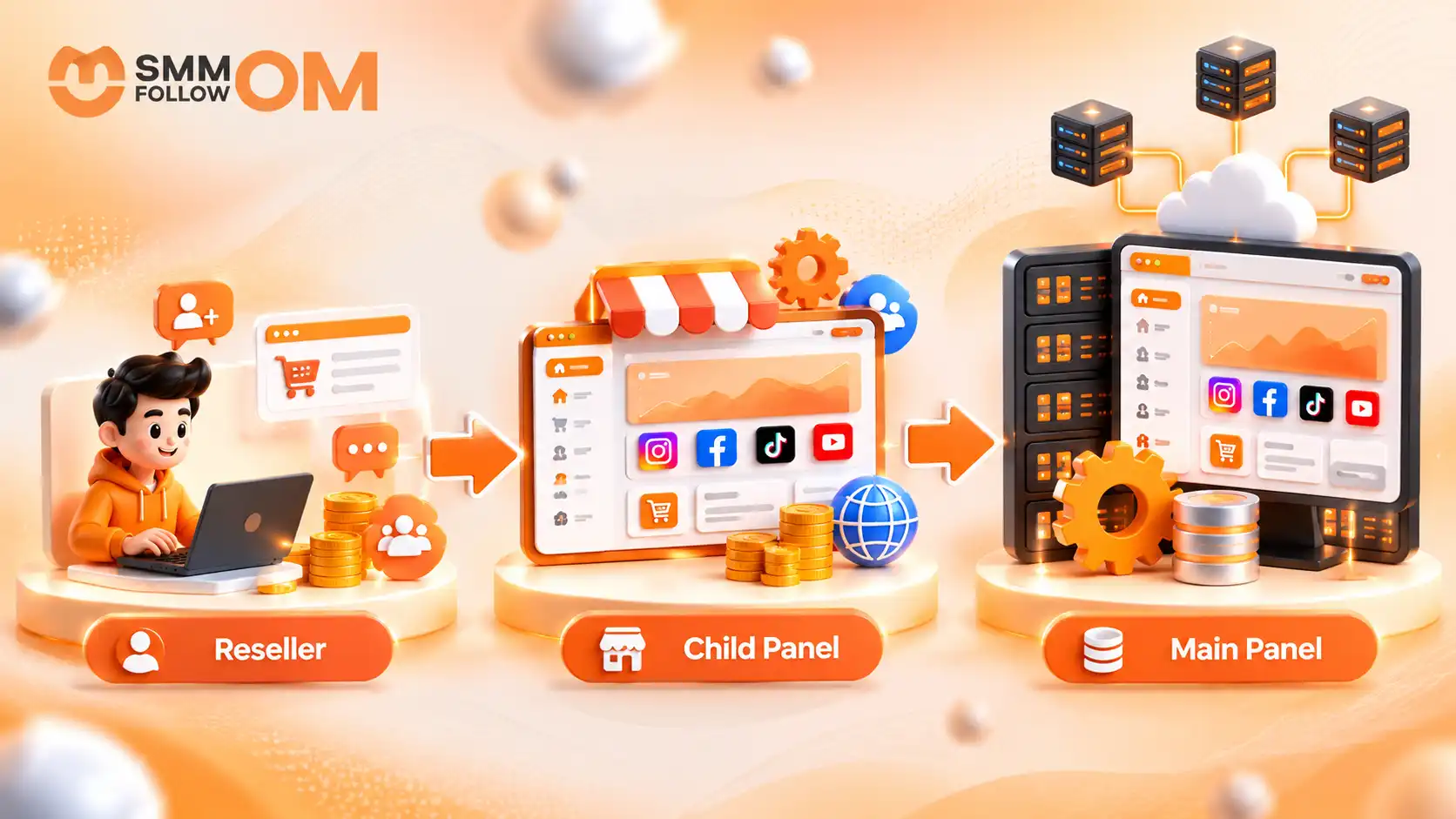
Newcomers often mix up four different ways of selling SMM services. One term to clear up first: In a child panel setup, the parent is usually a main panel: the larger panel that supplies and processes orders for the smaller panels connected to it.
Each of the four models below gives you a different amount of branding, automation, and technical responsibility.
The main difference is how much of the system you own and manage yourself.
A child panel gives you more branding and customer control than a basic reseller account. But it usually requires less technical work than building a custom panel.
How Does a Child Panel Work?
A child panel runs under its own brand, but it usually depends on a parent panel for the services and backend processing. You manage what customers see and how they interact with your business, while the parent panel handles much of the behind-the-scenes work.
Here is how the child panel works behind:
What Does the Customer See on a Child Panel?
Your customer normally sees your branding, prices, dashboard, order history, payment options, and support channels rather than the parent panel's interface.
From the customer side, the process may look similar to using any other SMM panel:
- Create an account
- Add balance
- Choose a service
- Enter the target link
- Select a quantity
- Submit the order
- Track the order status
- Contact your support if something goes wrong
This is why your child panel's branding and customer experience matter. Even when a problem originates with the parent panel or an upstream provider, your customer experiences that problem under your brand.
That responsibility is one of the most important things to understand before starting a child-panel business.
Do You Need Coding or Technical Skills to Run a Child Panel?
You usually need less technical knowledge than you would need to build and maintain an independent SMM panel, but you still need to understand basic website and business operations.
Most child panels are built on established panel software such as Perfect Panel or Smartpanel, so the ordering system, the customer dashboard, and the API layer already exist before you ever log in. You set up the layer on top of that.
Depending on the setup, you may need to handle:
- Domain configuration
- DNS or nameserver changes
- Branding
- Payment setup
- Service organization
- Customer pricing
- Support tickets
- Order statuses
- Refund and refill rules
- Basic account security
You may not need to code the ordering system yourself because the platform already provides much of the technical infrastructure.
But “no coding required” does not mean “no management required.”
You are still running the customer-facing business.
Does a Child Panel Always Connect to the Parent Through an API?
Not every child-panel platform exposes the same technical architecture, so it is better not to claim that every child panel works through one identical API setup.
In many systems, orders and service information sync automatically between the child and parent environments. API connections may be part of that infrastructure, but the exact implementation depends on the panel software and provider.
This matters because a child panel and an API reseller are not automatically the same thing.
A child panel generally gives you a ready-made storefront and customer dashboard. With a pure API integration, you may already have your own software and use another panel's API only to send orders, retrieve services, check balances, or update statuses.
How Does a Child Panel Owner Make Money?
A child panel owner normally makes money by selling services above the upstream price charged by the parent panel.
For example, suppose your parent-panel cost is:
$1.00 per 1,000
and you sell the service for:
$1.60 per 1,000
The difference before other expenses is:
$1.60 − $1.00 = $0.60 gross margin
However, that $0.60 is not automatically your final profit. Your actual profit can also be affected by:
- Payment gateway fees
- Customer acquisition costs
- Refunds
- Chargebacks
- Support time
- Promotional discounts
- Service price changes
- Failed or Partial orders
- Software or child-panel fees
- Taxes or business expenses where applicable
Profit margins in the SMM reselling industry depend on your pricing.
What Happens If the Parent Panel Changes Its Prices?
If the parent raises its wholesale price, your margin can shrink unless you update your customer-facing price. For example:
Parent cost before: $1.00
Your selling price: $1.50
Gross spread: $0.50
If the parent price increases to:
$1.35
while you continue selling at $1.50, your gross spread falls to only:
$0.15
This is one of the biggest operational risks of depending on an upstream panel. Before choosing a child-panel provider, find out:
- Whether prices update automatically
- Whether you receive alerts when prices change
- Whether you can use percentage-based markup
- Whether you can lock or manually control retail prices
- What happens to active orders when rates change
Do not assume your retail prices will always remain profitable without monitoring them.
What Happens If a Parent Panel Removes a Service?
If an upstream service disappears, your child panel may also lose access to it unless another route is available.
Parent-panel changes can affect:
- Service availability
- Wholesale price
- Minimum order
- Maximum order
- Start time
- Delivery speed
- Refill period
- Service description
- Provider capacity
This dependency is easy to overlook because your website may look independent from the customer's perspective. That is why the cheapest parent panel is not automatically the best foundation for your business.
Can a Child Panel Offer Multiple Social Media Platforms?
A child panel can generally sell the services made available through its parent system, which may include multiple social media platforms.
Common categories can include:
- Instagram followers, likes, views, and comments
- TikTok followers, views, likes, and shares
- YouTube views, subscribers, and comments
- Facebook followers, page likes, and reactions
- Telegram members and views
- X followers, likes, and reposts
- LinkedIn followers and engagement
- Spotify plays and followers
- Discord members
- Other supported services
However, you do not need to publish every service the parent offers.
A smaller, cleaner catalog can sometimes be easier for customers to understand than thousands of nearly identical service rows.
Before adding a service to your child panel, check:
- What it actually delivers
- Which link format it needs
- Minimum and maximum quantity
- Start time
- Delivery rate
- Refill condition
- Possible limitations
- Whether you have tested it yourself
Your customers shouldn't be the first people to test an unfamiliar service.
What Are the Main Benefits of a Child Panel?
The biggest benefit of a child panel is that it lets you launch a branded reseller operation without building the entire technical platform yourself.

You Can Launch Faster
Much of the panel infrastructure is already in place, so you can focus on configuring your brand, pricing, services, and customer experience instead of building everything from scratch.
You Have Less Technical Maintenance
The parent platform generally handles more of the core software and infrastructure than you would manage with a fully independent panel.
You Can Set Retail Prices
You can usually add your own markup to the parent-panel rates and create your own customer pricing strategy.
You Can Give Customers a Self-Service Dashboard
Instead of collecting every order manually through Telegram, WhatsApp, or direct messages, customers can register, add funds, place orders, and track them through your panel.
These benefits make child panels particularly useful for resellers who want to move from manual selling toward a more structured business.
What Are the Main Disadvantages of a Child Panel?
The biggest disadvantage of a child panel is dependency on the parent panel.
If the parent has poor service quality, frequent downtime, unstable pricing, weak support, or unreliable providers, those problems can eventually affect your own customers.
Other limitations may include:
- Less control over provider routing
- Limited backend customization
- Dependence on parent service availability
- Wholesale price changes
- Migration difficulty
- Restrictions on integrations
- Limited access to underlying infrastructure
- Dependence on parent refill and cancellation rules
The trade-off can be summarized simply:
Less technical responsibility in exchange for less upstream control.
This does not make child panels bad. It simply means you should know what you are giving up in return for the easier setup.
Who Should Use a Child Panel?
A child panel is usually a good fit for someone who wants a branded SMM business but does not yet need complete control over the entire technical stack.
It can make sense for:
- SMM resellers who already have customers
- Freelancers managing repeated social-media orders
- Digital agencies that want a branded ordering portal
- Social media managers handling several clients
- Entrepreneurs testing demand before investing in custom infrastructure
- Local SMM businesses that want their own brand and payment options
For example, if you currently collect ten or twenty client orders manually through chat each week, a child panel can give those customers a place to manage their own accounts and orders.
It may be less suitable if your main priority is complete control over:
- Provider selection
- Routing rules
- Software
- Server infrastructure
- Database
- Advanced integrations
- Custom backend features
That type of business may eventually need a more independent panel setup.
What Actually Happens When a Customer Places an Order?
When a customer places an order on your child panel, the order is usually passed to the parent panel for processing. The parent panel then fulfills it directly or sends it to an upstream provider.
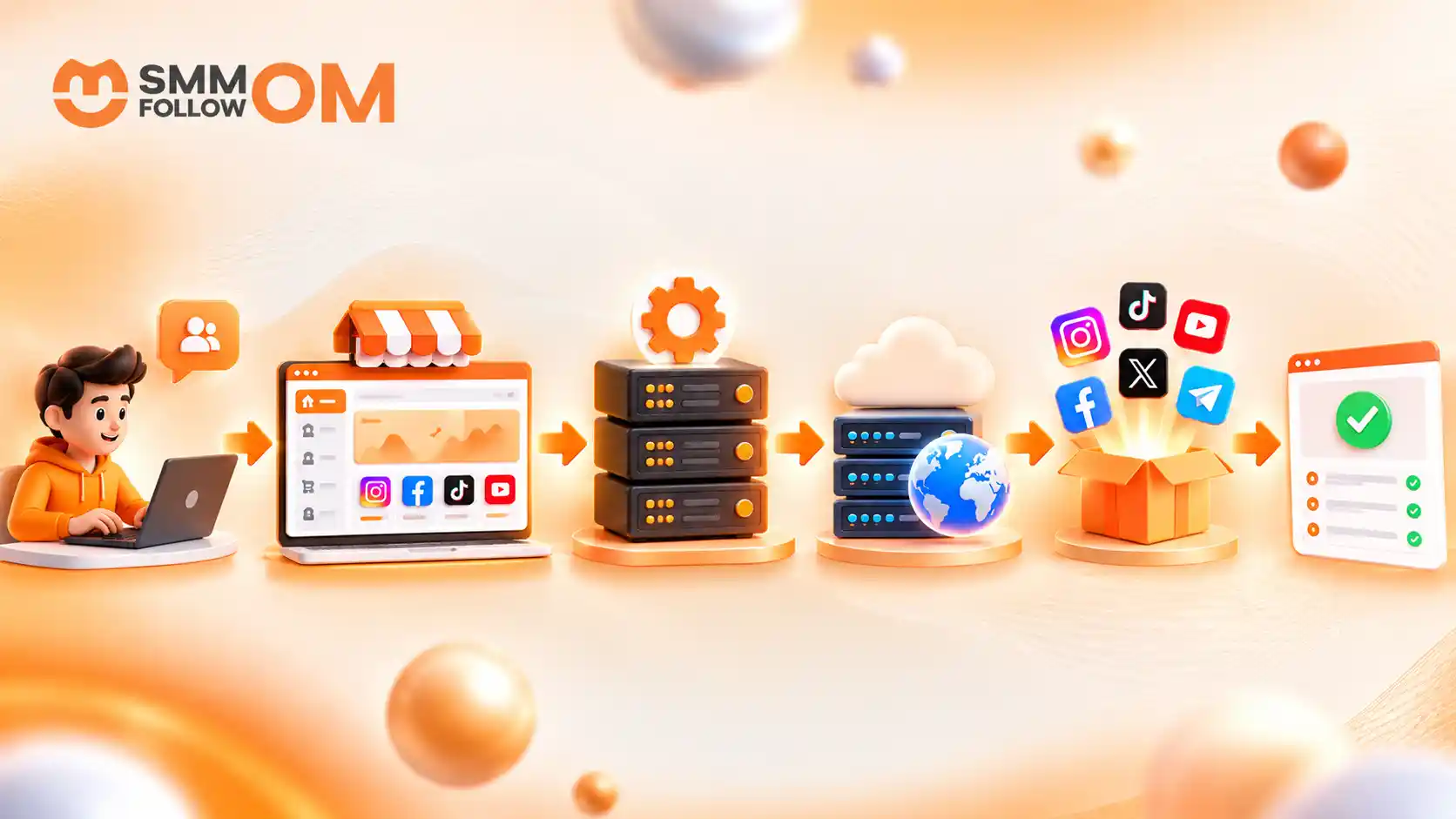
A simple flow looks like this:
Customer → Child Panel → Parent Panel → Provider → Delivery → Status Update
The customer sees the order and status in your branded panel, while most fulfillment happens in the background.
One link in that chain is easy to forget. The order only moves past your panel if your parent-side account has enough balance to cover it. Let that balance run down, and your panel keeps accepting orders normally while nothing gets processed upstream.
Your customer sees a stalled order under your brand, with no sign that the problem sits one level above you.
Do Child Panels Need Their Own Payment Gateway?
A child panel needs some way for customers to fund their account, but the available payment setup depends on the software and parent-panel provider.
You may be able to offer:
- Card payments
- Bank payments
- Local mobile payments
- Manual payments
- Cryptocurrency where appropriate and supported
- Other regional gateways
Before buying a child panel, ask whether you can connect your own merchant or payment account, which currencies it supports, how it credits customer balances, and who covers transaction fees.
If you want a detailed guide, then read our Best Payment Gateways for SMM Panels in 2026.
What Do You Still Need to Manage Yourself?
A child panel can reduce technical work, but it does not run the business for you. You still need to manage:
- Marketing
- Customer acquisition
- Positioning
- Pricing
- Service selection
- Service descriptions
- Payments
- Support
- Refund communication
- Customer retention
- Website content
- Trust and branding
This is where many beginners misunderstand the model. Buying a child panel gives you business infrastructure, not customers.
You still need to attract the right audience and give them a reason to choose your panel. If you market an SMM panel after launch, you can earn money from it.
What Should You Check Before Buying a Child Panel?
Check the parent platform as if your own brand reputation depends on it, because it does. Four questions matter more than the monthly price:
Test it yourself first.
Place a few real orders before you sell anything. Watch how delivery behaves, whether the order status stays accurate, how refill requests are handled, and how fast support responds when something stalls.
Know who you contact when something breaks.
Find out who handles it when a service stops, an order sits on Partial, or an upstream provider has a problem, and how long that usually takes.
Ask what happens if you leave.
Customer accounts, balances, order history, domain configuration. Find out which of these you can take with you and which stay behind, before you have customers to lose.
Ask who absorbs a refund.
When the parent refuses to cover a failed order, you pay it, or your customer does. Know that answer before it happens for the first time.
What Mistakes Should You Avoid When Running a Child Panel?
The most common mistakes happen when a reseller treats a ready-made panel as a ready-made business.
The most expensive one is setting prices too close to the parent cost. Thin margins may look competitive until payment fees, support work, refunds, or a provider price increase reduces the remaining profit.
Another one shows up the first time an order goes wrong: promising a customer a refund before you have checked what the parent will actually cover. Once you have said it, you either pay out of your own margin or take back your word in front of a customer.
You should also avoid:
- Copying unclear parent descriptions
- Making unrealistic delivery promises
- Having no support procedure
- Ignoring refill rules
- Using one fixed markup for every service without considering risk
- Assuming branding alone creates trust
- Depending on one upstream system without understanding its limitations
The child panel handles part of the operational work. The judgement calls are still yours.
How Much Does a Child Panel Cost?
An SMM child panel usually costs around $10 to $25 per month, depending on the provider and included features. This is typically a recurring rental fee that gives you access to a ready-made panel under your own domain and branding.
In most cases, you do not need to pay for custom development or build the system yourself. However, you may still need to purchase your own domain, which often costs around $10 to $15 per year.
A typical child-panel subscription may include:
- Order automation:Customer orders can be passed to the parent panel automatically instead of being entered manually.
- Hosting and maintenance:The provider usually manages the core panel system, server maintenance, and software updates.
- Order management:Customers can place orders and track their status through your branded dashboard.
Are There Extra Costs?
There can be. Some providers include unlimited orders in one monthly price, while others use different plans based on order volume or available features. A few may also reduce or remove the monthly fee for high-volume resellers.
Besides the child-panel subscription, you should also budget for things such as:
- Domain renewal
- Payment processing fees
- Customer acquisition
- Support
- Refunds or order issues
- Provider balance
So, while $10 to $25 per month may cover the basic panel, the total cost of running a child-panel business is usually higher once you include other operating expenses.
What Does Smmfollowom's Child Panel Cost?
Smmfollowom's child panel costs $20 to $25 per month, which puts it at the upper end of the range above. The difference goes into the parts you cannot see from the storefront: services are checked before they stay in the catalogue, and orders are kept moving within their stated start times. You get a white-label panel on your own domain, set your own brand and retail prices, and reach support through Telegram or tickets when something needs fixing. You can check the full plan and setup steps before comparing it with other providers.
Final Thoughts
A child panel is most useful when you treat the parent panel like a business infrastructure partner, not just a cheap supplier.
Before committing, check how easily you can change prices, remove weak services, handle support issues, and move your business elsewhere if the relationship stops working.
The best long-term trick is to keep control of what actually builds your business value: your brand, your customers, your pricing strategy, your support process, and your marketing. That stays true even when someone else owns the technical system behind the panel.
Frequently Asked Questions
Can I hide services from the parent panel on my child panel?
Usually yes, if the child-panel software allows service filtering. Check whether you can also reorder categories and set your own service IDs, because some setups let you hide a service but not reorganize what is left.
Can I change service names and descriptions on a child panel?
Some providers let you edit service names, categories, and descriptions, while others offer more limited control. Check this before purchase, especially if the parent catalog uses confusing or overly technical service labels.
Who handles customer complaints on a child panel?
You normally handle your own customers. If the problem comes from an upstream service, you may need to contact the parent panel and then communicate the result back to your customer.
Share this on social media



Recently Posted Blogs

22OCT2026
How to Start an SMM Reseller Business in Bangladesh?
To start an SMM reseller business in Bangladesh, you buy social media services from a supplier panel at reseller rates, resell them to local customers at your own price in BDT, and keep the difference.
Read More
19OCT2026
How Much Does Facebook Reels Pay Per 1,000 Views?
You can earn $0.02 to $0.20 per 1,000 views, with many estimates closer to $0.05 to $0.10 per 1,000 Reel views. Numbers above $1 per 1,000 views almost always come from longer videos or a US finance-style audience, not from ordinary Reels. The variation depends on your niche and country. Also, higher numbers may mix Reels earnings with longer-video ad earnings, so they aren't always a good estimate for Reels alone.
Read More
17OCT2026
How to Increase Facebook Followers in 2026: 12 Practical Ways That Actually Help
Increasing Facebook followers is no longer just about posting often. Facebook recommends content based on signals such as what people watch, like, comment on, and show interest in. That means growth depends more on who sees your content, why they visit your Page, and whether they want to follow it.
Read More