27SEP2026
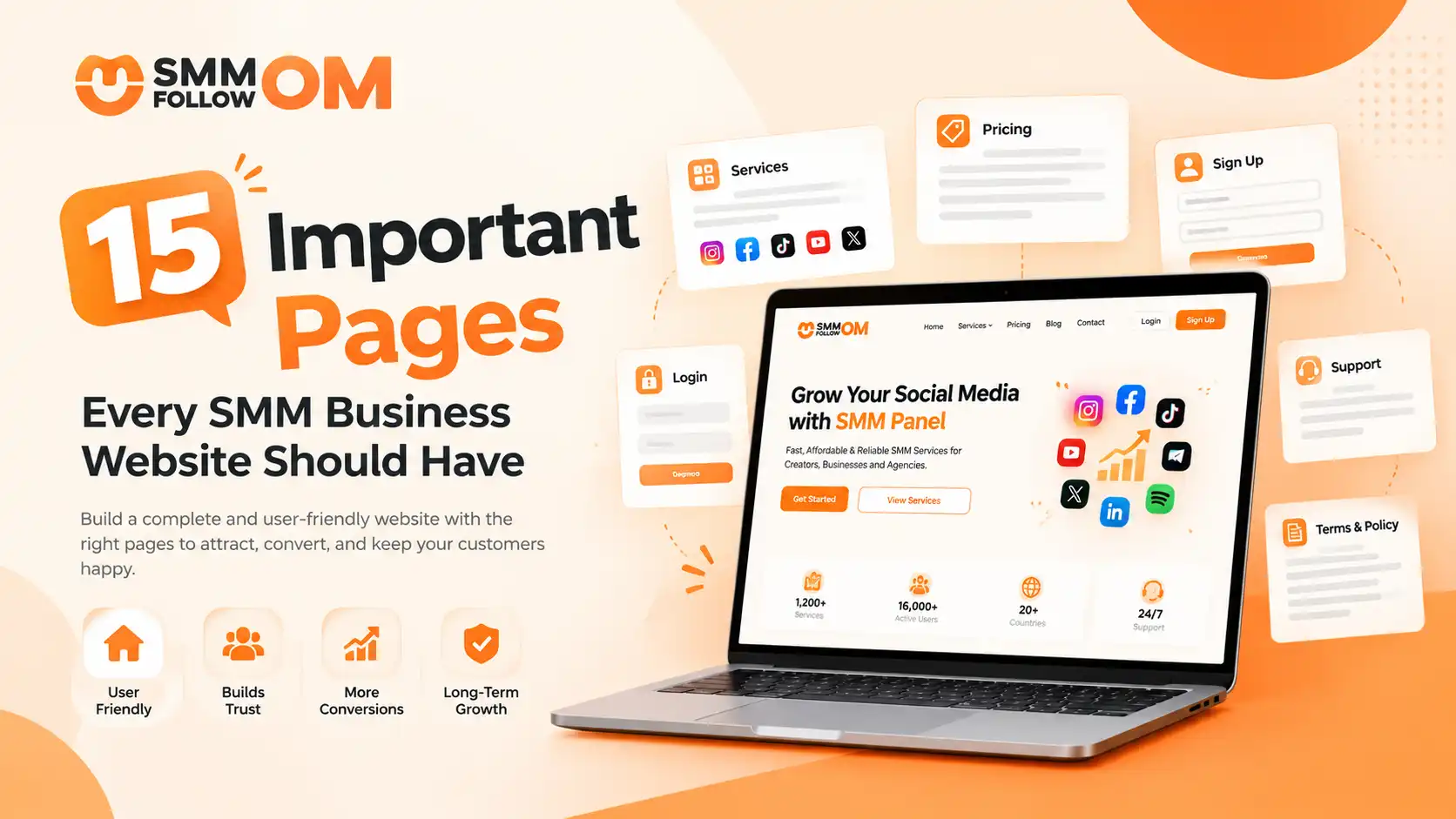
15 Important Pages Every SMM Business Website Should Have
Table of Contents
An SMM business website needs more than a homepage and an order dashboard. A complete setup should help visitors understand what you sell, check prices, create an account, add funds, place orders, contact support, and review important policies before spending money.
15 core pages are enough to cover these needs for any SMM panel. Growing businesses can later add API, reseller, affiliate, child-panel, and country-specific pages when those features become relevant.
Your SMM panel website should answer all customers' questions. So they don’t have to ask.
If you have not decided how to structure the business itself, our SMM reseller business guide covers setup, pricing and scaling before you get to the website.
1. Homepage
The homepage introduces your SMM business. It should quickly answer three questions: what you offer, who you serve, and what the visitor should do next. A useful homepage can include:
- A clear headline and value proposition
- Supported social media platforms
- Popular service categories
- Starting prices or a pricing preview
- Supported payment methods
- Main platform features
- Customer reviews or other genuine trust signals
- Support availability
- Links to important resources
- A clear Sign Up, View Services, or Get Started CTA
Avoid explaining every service on the homepage. Its job is to introduce the business and move visitors toward the page that matches their next step.
For example, someone interested in pricing should reach your pricing page quickly, while an existing customer should find the login button without searching for it.
2. Services Page
The Services page tells visitors what your SMM business actually sells. Organize services by platform so users can quickly find the category they need. Common categories may include:
- TikTok
- YouTube
- X
- Telegram
- Spotify
- Other supported platforms
You do not need to expose every internal order detail on a public services page. Instead, show enough information for a visitor to understand the range of available services.
For example, an Instagram section might mention followers, likes, views, comments, and Reel services without displaying hundreds of individual Service IDs.
This page matters because potential customers should understand your offer before they register or deposit money.
3. Pricing Page
The Pricing page helps potential customers decide whether your services fit their budget. It should make your pricing structure easy to understand rather than forcing visitors to create an account just to see basic rates.
Useful information includes:
- Starting price per 1,000
- Platform or service category
- Available currency
- Minimum order where relevant
- Bulk or reseller rates if offered
- A note explaining that exact rates can vary by individual service
For example:
Use your actual rates rather than artificial “from” pricing that customers cannot realistically access. A clear pricing page improves transparency and also gives commercial visitors a direct route from research to sign-up.
4. Sign Up Page
The Sign Up page is where visitors become registered customers. Keep the form short. You normally only need information required to create and secure the account, such as:
- Username or name
- Email address
- Password
- Password confirmation
- Acceptance of Terms
- CAPTCHA or other anti-abuse protection where necessary
Avoid asking for information you do not actually need.
A new customer who has already decided to try your panel should not face a long registration form filled with unnecessary fields.
Also place a clear link to your Terms of Service and Privacy Policy near the signup action so users can review them before creating an account.
5. Login Page
The Login page gives existing customers access to their accounts. It should be simple and easy to locate from every public page. Include:
- Username or email field
- Password field
- Forgot-password option
- Login button
- Link to registration for new users
- Any required security verification
The login page is primarily functional. It does not need sales copy, long explanations, or SEO content. Its priority is helping existing users get into their dashboard quickly and securely.
6. New Order Page
The New Order page is where a customer actually purchases an SMM service using their panel balance. A well-designed order form should show only the information needed to submit the order correctly.
This may include:
- Category
- Service
- Service ID
- Service description
- Target link
- Quantity
- Calculated charge
- Available account balance
- Order button
The service description is especially important.
If a service has a specific minimum quantity, refill condition, target requirement, or delivery characteristic, users should see that information before clicking Submit Order.
The page should also calculate the price automatically when the customer enters the quantity.
This reduces avoidable ordering mistakes and gives customers a final chance to review what they are buying.
7. Add Funds Page
The Add Funds page is where customers deposit money into their account balance. Make the payment instructions specific to each method. Users should be able to see:
- Payment method
- Minimum deposit
- Processing fee, if any
- Supported currency
- Expected processing method
- Whether balance credit is automatic or manual
- Any required payment reference
For example, if you accept bKash, Nagad, cards, or bank transfer, do not put all methods into one vague instruction box. Give each one the information the user needs to complete that payment correctly.
This page directly affects whether a registered customer can become a paying customer. Confusing payment instructions can stop the process before an order is ever placed.
8. Order History Page
The Order History page lets customers check what happened after they submitted an order. Useful fields include:
- Order ID
- Date
- Service
- Target
- Quantity
- Charge
- Start Count
- Remains
- Current status
- Refill option where supported
Common status labels may include:
- Pending
- Processing
- In Progress
- Completed
- Partial
- Canceled
Customers shouldn't need to contact support just to ask whether an order is still running. A clear order history gives them a self-service record of both active and previous purchases.
9. About Us Page
The About Us page explains who is behind the SMM business. Many SMM websites look nearly identical from the outside. An About page gives yours an actual business identity.
Depending on what you can verify, it may include:
- Company name
- Ownership
- Founding year
- Business location
- Business story
- Who the company serves
- Support availability
- Major platform features
- Genuine order or customer statistics
- Mission or operating principles
Avoid generic lines such as:
“We are the number one SMM panel in the world.”
That tells users almost nothing. Specific information is more useful.
For example, explaining when the company started, who operates it, what types of users it serves, and how customers can reach the team creates a much clearer picture of the business.
10. Contact and Support Page
The Contact and Support page tells customers exactly where to go when they need help. Include the channels you genuinely monitor, such as:
- Support ticket
- Live chat
- Telegram
- Other official channels
You can also state:
- Support hours
- Expected first-response time
- What information users should include in a ticket
For an order-related problem, asking the customer to provide the Order ID immediately can save several messages.
Keep all official support channels on this page so customers can distinguish legitimate company contacts from impersonators.
11. FAQ Page
The FAQ page should answer common questions that do not require individual support. Useful topics include:
- How long does an order take?
- What does Partial mean?
- What is a refill?
- Can an order be canceled?
- Why did a service price change?
- Can I submit a private profile?
- What happens if I enter the wrong link?
- How do I add funds?
- Can two orders run on the same target?
- What should I do if an order is delayed?
Keep answers concise.
If a question needs a detailed explanation, answer the basic point and link to a dedicated article or Help Center guide.
12. Terms of Service Page
The Terms of Service page establishes the rules customers agree to when using your website. It should clearly address matters such as:
- Account responsibilities
- Ordering rules
- Payment terms
- Service limitations
- Prohibited uses
- Customer responsibilities
- Account suspension or termination
- Refund conditions
- Third-party platform limitations
- Changes to services or rates
The language should match how the panel actually operates.
For example, if orders cannot normally be edited once submitted, state that clearly rather than waiting until someone asks support to change an active order. The Terms page gives both sides a reference point when they disagree about how the service should work.
13. Privacy Policy Page
The Privacy Policy explains how your website handles customer information. It should reflect the actual data your system collects and the third-party services you use.
Relevant areas may include:
- Registration information
- Account data
- Payment-related information
- IP or device data
- Cookies
- Analytics
- Support communications
- Data retention
- Third-party processors
- User rights where applicable
Do not copy another panel's privacy policy and simply replace the company name. Their website may collect different data, use different payment providers, or operate under different requirements.
Your policy should describe your own website.
14. Refund, Refill, and Cancellation Policy Page
A dedicated Refund, Refill, and Cancellation Policy helps customers understand what remedies may be available when an order does not go as planned.
This page should distinguish three different situations.
- Refunds:Explain when unused value may be returned and whether it is returned to the panel balance or the original payment method.
- Refills:Explain which services include refill coverage, how long the window lasts, and what conditions can make an order ineligible.
- Cancellations:Explain when a submitted order can or cannot be canceled.
You should also clarify how Partial orders are handled.
These policies should focus on procedures rather than promising that every service will always be completed perfectly.
For deeper explanations of drops, failed orders, or guarantees, link customers to the relevant support article instead of repeating those subjects here.
15. Blog or Help Centre
A Blog or Help Centre gives your SMM website a place for information that doesn't belong on service or policy pages. It can cover topics such as:
- Beginner guides
- Ordering instructions
- Payment help
- SMM terminology
- Platform-specific information
- Troubleshooting
- Service explanations
- Reseller education
- Industry changes
- Comparisons
For example, articles such as:
- What Is an SMM Panel?
- How Does an SMM Panel Work?
- What Is Drip Feed?
- What Is API in SMM Panel?
- Why Do SMM Panel Orders Drop or Fail?
- Do SMM Panels Guarantee Results?
It can answer questions before they become support tickets.
The Blog also has a separate SEO purpose. Informational articles can attract people who are researching SMM services before they are ready to create an account.
From there, relevant internal links can guide them toward your service or sign-up pages.
Optional Pages for a Growing SMM Business
Not every SMM website needs these pages at launch. Add them only when the corresponding feature exists.
API Page: Useful if customers can connect their own panel, software, or application to your API. Include documentation rather than just saying “API available.”
Reseller Page: Useful when you offer special rates or features for high-volume buyers.
Child Panel / White Label Page: Necessary if customers can launch a branded panel using your infrastructure.
Affiliate Page: Add this if you operate a referral program. Clearly explain commissions, tracking, eligibility, and payouts.
Payment Methods Page: Useful when you support enough payment options that explaining them all on the Add Funds page would become cluttered.
Country-Specific Pages: Appropriate when you genuinely offer something different for that market, such as local currency, payment methods, language, support, or services. Don't create dozens of nearly identical country pages just by changing the country name.
Final Thoughts
An SMM website does not need dozens of pages to look complete. It needs the ones a customer actually walks through before and after spending money.
The test for any page you are unsure about: does a real customer need it to make a decision or finish a task? If not, it is decoration.
Frequently Asked Questions
Should every SMM service have its own landing page?
Not necessarily. Individual landing pages make more sense for important categories or search intents. Creating hundreds of nearly identical pages for individual services can make the site harder to maintain without adding much value.
Which SMM panel pages should be indexed by Google?
Public pages intended for search users such as the homepage, platform pages, blog articles, About page, and useful public guides can be indexable. Private account pages such as dashboards, order histories, and user-specific areas generally do not need to appear in search results.
Should legal pages appear in the footer?
Yes. The footer is a practical place for Terms, Privacy, Refund, Refill, Cancellation, and other policy links because users can reach them from across the website without overcrowding the main navigation.
Should Instagram, TikTok, and YouTube have separate pages?
They can if each page provides genuinely platform-specific information, services, pricing context, and search intent.
When should an SMM panel create country-specific pages?
Create them when the business provides meaningful local differences such as local payment methods, currencies, language, pricing, support, or service availability.
Do I need both an FAQ page and a Help Center?
Not always. A smaller panel can start with one strong FAQ page. A Help Center becomes more useful when you have enough ordering, payment, API, reseller, and troubleshooting documentation that organizing everything on one FAQ page becomes difficult.
Share this on social media




Recently Posted Blogs
05NOV2026
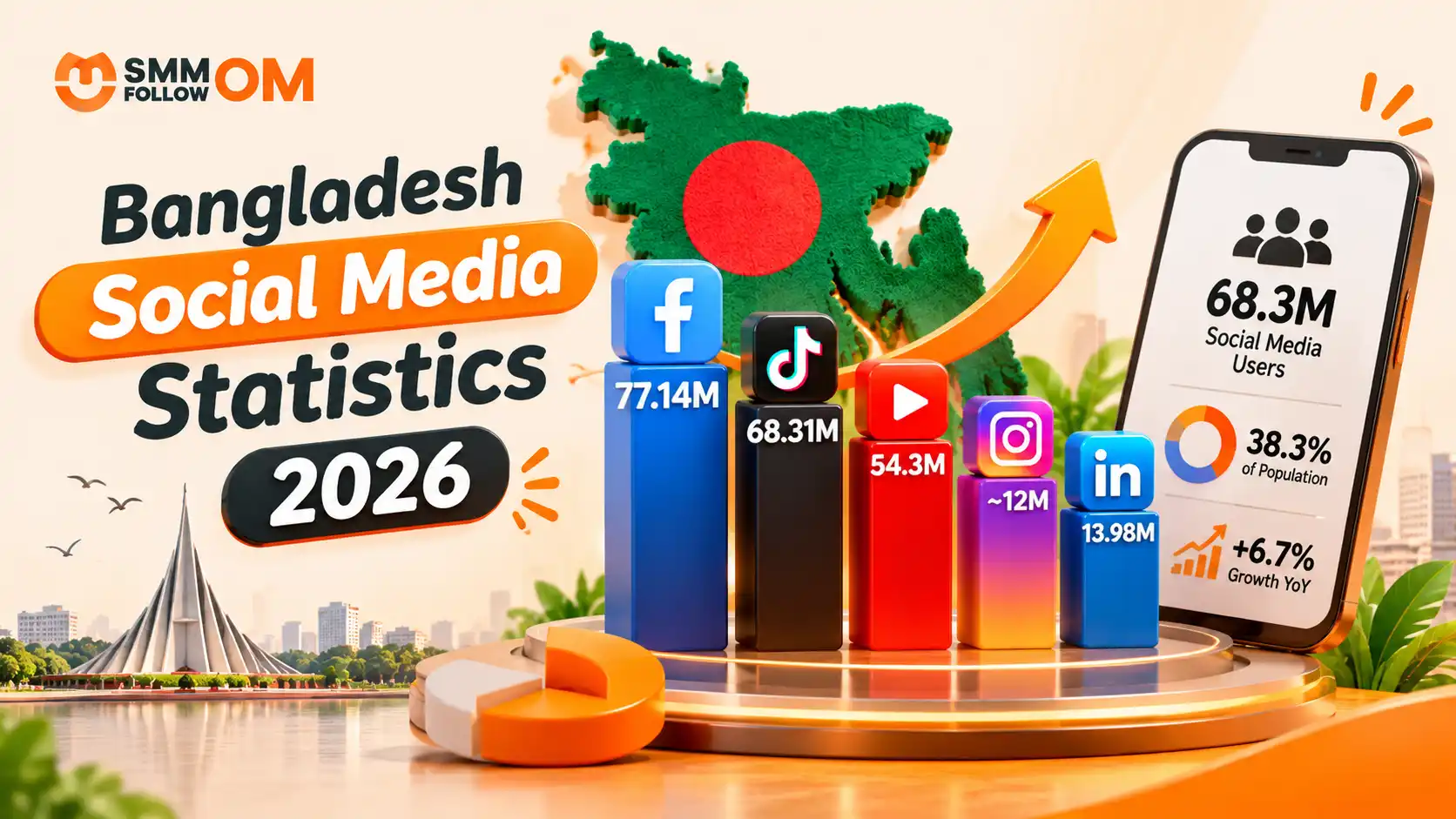
Bangladesh Social Media Statistics 2026
Bangladesh's social media audience continued to grow in 2026, but many articles still quote numbers collected in 2025. That matters. DataReportal's Digital 2026: Bangladesh report was published for the 2026 planning cycle, but most of its figures were collected in October 2025. DataReportal itself makes this date difference clear.
Read More
01NOV2026
How to Get More Views on TikTok? Organic & Paid Ways
You do not need thousands of followers to get more views on TikTok. TikTok's For You feed recommends videos based on what individual users may find relevant. TikTok says signals such as what people watch, skip, like, share, and comment on help shape those recommendations, with user interactions generally carrying more weight than other factors.
Read More
30OCT2026
Best Time to Post on TikTok in 2026: Day, Industry and Your Own Data
The best time to post on TikTok is Tuesday through Thursday between 2 PM and 6 PM local time. That does not mean 3 PM will work for every account. TikTok itself says the best posting time is unique to each account because audiences have different demographics and activity patterns. It recommends using audience analytics and testing what produces the strongest response for your content.
Read More