09SEP2026
What Is an API in an SMM Panel? A Simple Guide to How It Works
Table of Contents
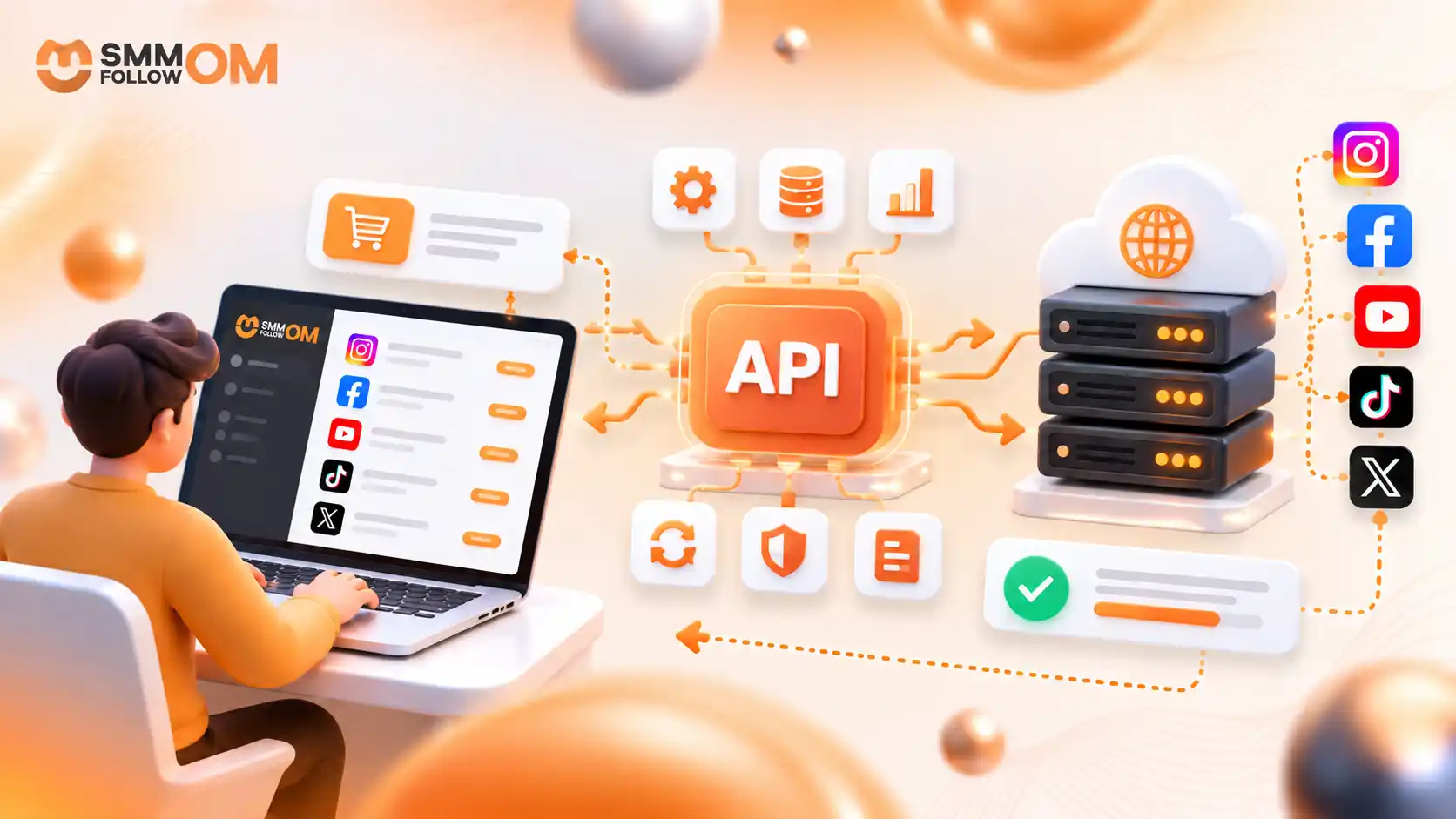
An API in an SMM panel is a connection that allows the panel to communicate automatically with a service provider or another panel. It can send orders, retrieve services, check order status, read account balance, and request supported actions without requiring someone to place every order manually.
API stands for Application Programming Interface.
In simple terms:
Customer → SMM Panel → API → Provider → Order Update
The provider supplies the service. The API is the communication method that connects the systems.
This distinction matters because an API is not the service provider. It is the wiring between two systems. The provider produces the followers or views. The API is only how your panel asks for them and hears back.
How Does an API Work in an SMM Panel?
An SMM API works by taking an order from one panel, sending the required information to the provider, and returning information about that order to the original panel. Most of this happens automatically in the background.

API Working Process
Suppose a customer places an order for a service.
The process can look like this:
- The customer selects a service.
- The customer enters the required link and quantity.
- The SMM panel identifies the matching provider Service ID.
- The panel sends an API request to the provider.
- The provider accepts or rejects the request.
- If accepted, the provider returns an Order ID.
- The panel uses that Order ID to check progress.
- The customer can see the latest status on the dashboard.
Without an API, the panel owner may have to open the provider dashboard, find the service, copy the customer's link, enter the quantity, place the order, and check it manually.
The API automates that communication.
What Information Is Sent Through an SMM API?
An SMM API sends the information the provider needs to understand and process a request. For a normal order, this commonly includes an API key, action, Service ID, target link, and quantity.
A simplified request may contain:
- API key: identifies the connected reseller account.
- Action: tells the API what operation to perform.
- Service ID: identifies the selected provider service.
- Link: tells the provider where the service should be applied.
- Quantity: indicates how much was requested.
For example:
action: add
service: 1408
link: example target URL
quantity: 2000
If the provider accepts the request, it may return:
order: 583729That returned number is the provider's Order ID.
Many APIs exchange structured information in JSON, although the exact request and response formats depend on the provider.
What Is an API Key in an SMM Panel?
An API key is a private credential that allows an SMM panel or application to authenticate itself when communicating with a provider API. It tells the provider which account is making the request.
Think of it as a private access key for your API connection.
It may be used when:
- retrieving provider services,
- submitting orders,
- checking statuses,
- checking provider balance,
- requesting refills,
- or performing other supported API actions.
An API key should not be confused with a password for Instagram, Facebook, TikTok, YouTube, or any other social media.
It normally belongs to the SMM provider account, not the customer's social account.
The API key should also remain private. OWASP recommends protecting API credentials via HTTPS and warns against including sensitive API keys in URLs, where they may appear in logs.
A key should not be exposed in:
- public website code,
- screenshots,
- public GitHub repositories,
- browser-side JavaScript,
- forum posts,
- or unnecessary support messages.
If an API key is leaked, regenerate or revoke it when the provider gives you that option.
Why Every SMM Panel API Looks the Same
SMM panels did not each invent their own API. The industry settled on one shared format years ago, and everyone calls it API v2.
It is deliberately primitive. One endpoint. A POST request carrying form-encoded fields. An action parameter naming what you want. JSON coming back. No REST paths, no OAuth, no versioned resources.
That is why a panel can connect to a new supplier in an afternoon. Every provider speaks the same six commands, so integration is mapping, not development.
What Actions Can an SMM Panel API Perform?
An SMM API can perform several operations, and order submission is just one. Almost every provider supports six actions, with a few more depending on the provider.
The six core actions
- services. Downloads the provider's whole catalogue. Sends only your API key. Returns Service IDs, names, types, rates, minimums, maximums, and categories.
- add. Creates an order. Sends your key, the Service ID, the target link, and the quantity, plus runs and interval when the service supports drip-feed. Returns the provider's order number.
- status. Checks one order. Sends your key and the provider order number. Returns the charge, start count, current status, remains, and currency.
- balance. Reads how much credit is left in your provider account. Sends only your key. Returns the balance and its currency.
- refill.Opens a refill request on an eligible order. Sends your key and the order number. Returns a refill number you can check later.
- cancel. Asks the provider to stop an order. Sends your key and one or more order numbers. Returns an accepted or rejected answer for each one.
Commonly available, but not guaranteed
Some providers also support multi-status, which checks a batch of orders in one call and returns the same fields for each, and refill status, which reports where an open refill request stands. Others add subscriptions or service-specific parameters.
Not every provider supports every action. The provider's API documentation is what determines which of these you actually get, so read it before you build around any of them.
What Is the Difference Between Service ID and Order ID?
A Service ID identifies which service should be ordered, while an Order ID identifies one specific order after it has been submitted. They serve completely different purposes inside an SMM API.

For example:
Service ID 1408
could represent a specific provider service.
When the panel sends an order using Service ID 1408, the provider knows which service to process.
The provider could then return:
Order ID 827431
That Order ID belongs only to that particular order.
The relationship is:
Service ID → Selects the service
Order ID → Tracks the submitted order
How Are SMM Order Statuses Updated Through API?
The API lets a panel ask the provider what is currently happening with an order. The provider then returns a status that the reseller panel can display or map to its own customer-facing status.
Common statuses include:
- Pending
- Processing
- In Progress
- Completed
- Partial
- Canceled
Exact names can differ between providers. A status response may also contain additional fields.
Start Count can record the count at the start of delivery.
Remains usually shows how much of the requested quantity has not yet been completed according to the provider.
For example:
Ordered: 10,000
Remains: 2,500
The provider is reporting that 2,500 units remain.
A Partial status generally means only part of the original quantity was completed. A Completed status means the provider has marked its order process as finished.
How Does an API Keep SMM Services and Prices Up to Date?
An API can retrieve current service information from a provider, allowing a reseller panel to synchronize details such as Service IDs, rates, minimums, maximums, categories, and availability. However, automatic synchronization still requires monitoring.
Consider a provider service that originally costs:
$0.50 per 1,000
The reseller lists it at:
$0.80 per 1,000
If the provider later increases its cost to $0.75 while the reseller keeps selling it for $0.80, the reseller's margin has almost disappeared.
The same issue applies when a provider changes:
- minimum quantity,
- maximum quantity,
- refill availability,
- service name,
- Service ID,
- delivery conditions,
- or service availability.
This is why importing a service catalogue does not mean that a panel owner should automatically publish everything.
The API transfers provider data. The panel owner still decides what should be offered to customers.
API vs Manual Ordering: What Is the Difference?
Manual ordering requires a person to place and monitor orders inside the provider dashboard, while API ordering allows software to perform those repetitive actions automatically.

With manual ordering, someone may need to:
- open the provider panel,
- search for the correct service,
- copy the customer link,
- enter the quantity,
- submit the order,
- save the provider Order ID,
- check the status later,
- and update the customer.
With an API, much of that data can move automatically.
This becomes useful when a reseller handles many orders.
However, API automation does not remove every human responsibility.
Panel owners still need to manage:
- pricing,
- provider selection,
- service testing,
- support,
- failed orders,
- service descriptions,
- and provider performance.
The API automates communication. It does not manage the entire business by itself.
Who Needs an SMM Panel API?
SMM APIs are primarily useful for panel owners, resellers, developers, agencies, and businesses that need a single system to communicate automatically with another. A typical customer who places occasional orders usually does not need direct API access.
Common users include:
- SMM panel owners: They can connect their panel to one or more providers.
- Resellers: They can automatically forward customer orders to an upstream supplier. Our SMM reseller business guide covers how to set this up from scratch.
- Developers: They can connect an SMM provider with custom websites, applications, dashboards, or bots.
- Agencies: They may use an API to centralize order processing for multiple accounts or clients.
- Child panel operators: Their system may depend on another panel or backend infrastructure for service fulfilment.
For a customer who places only a few orders manually, using the standard panel dashboard is usually much simpler.
What Are the Most Common SMM API Problems?
Most SMM API problems happen because information is incorrect, a provider changes something, or communication between the systems fails. The API may be functioning correctly even when the order itself cannot be processed.
Common problems include:
- Invalid API key: the provider cannot authenticate the account.
- Invalid Service ID: the requested service was removed or changed.
- Incorrect link: the target does not match the selected service.
- Minimum quantity error: the order is below the allowed minimum.
- Maximum quantity error: the requested amount exceeds the service limit.
- Insufficient provider balance: the reseller lacks sufficient upstream credit.
- Provider downtime: the provider server is temporarily unavailable.
- Rate limit: too many API requests are sent within a short period.
- Changed API response: the provider changes a field or status that the reseller software does not recognize.
One particularly important problem is a timeout.
Imagine the provider receives an order. But the response does not reach the reseller panel in time. If the reseller automatically resends the same order, a duplicate order could be created.
A good integration, therefore, keeps logs and handles uncertain responses carefully rather than blindly repeating every request.
Does an SMM API Guarantee Better Service Quality?
No. An API makes communication faster and more automated, but it does not guarantee that the underlying service is reliable, high quality, stable, or suitable for a particular use case. Provider quality and API quality are separate things.
A provider can have an excellent API but an unstable service.
Likewise, a Completed API status only tells you that the provider considers its delivery process complete.
It does not prove permanent retention.
The same applies to refill.
Having a refill API action does not mean every service or every order qualifies for a refill. Eligibility still depends on the provider's service conditions.
API automation should therefore be combined with actual service testing and provider monitoring.
Do You Need Coding Knowledge to Use an SMM API?
You need coding knowledge for most custom API integrations, but you may not need to write code when your SMM panel software already supports the provider's API format.
Existing panel software may only require:
- API URL,
- API key,
- provider details,
- and service mapping.
A custom integration may require a developer to work with technologies such as:
- PHP,
- Python,
- Node.js,
- Java,
- Go,
- or another backend language.
The good news is that SMM APIs are simpler than most. There is no REST structure to learn, no OAuth flow to implement, and no versioned endpoints. You send form fields to one URL and read the JSON that comes back. Any language that can make an HTTP request can do it.
The most important requirement is not the programming language. It is following the provider's documentation correctly.
What Should You Check Before Connecting an API Provider?
Before connecting to an SMM provider's API, check its documentation, supported actions, service structure, security controls, order statuses, balance system, limits, error handling, and service update process. A working API connection alone does not prove that the provider is suitable.
Check:
- Is there clear API documentation?
- Which actions are supported?
- How are API keys generated?
- Does the API use HTTPS?
- What are the current Service IDs?
- What parameters does each order type require?
- What status values can appear?
- How are Partial orders handled?
- Which services support refill?
- Can orders be cancelled?
- Are there API request limits?
- How often do service rates change?
- What happens when the provider is unavailable?
Start with a small test rather than immediately routing every customer order through a new provider.
That gives you a chance to verify the full process from service selection → API request → Order ID → status → completion.
Frequently Asked Questions
Does the API Tell Me Why an Order Failed, or Just That It Failed?
Depends on the provider. Some return a specific error naming the problem; others reject the order with nothing useful attached. Test this before you route real customer orders through a new provider, because one that fails silently turns every complaint into guesswork on your side.
What Happens to Running Orders If I Regenerate My API Key?
Orders already submitted stay with the provider, since they were accepted under the old key. What breaks is your panel's ability to check their status until the new key is in place. Update it in your panel settings straight after regenerating; otherwise those orders sit frozen at whatever status they last reported.
Is an API key the same as my social media password?
No. An SMM API key normally authenticates your account with the SMM provider. It is separate from your Instagram, Facebook, TikTok, YouTube, or other social media password.
Can an SMM panel work without an API?
Yes. Orders can be processed manually, but that becomes inefficient when a panel handles a large volume of customer orders..
What happens if an SMM API stops working?
New orders may fail to submit, status updates may stop, or service information may stop synchronizing until communication with the provider is restored.
Final Thoughts
An API in an SMM panel is the communication layer that connects the panel with a provider or another software system. It helps automate service retrieval, order submission, status checking, balance checks, refills, cancellations, and other supported operations.
The easiest way to remember the system is:
Panel = manages the customer and order
Provider = supplies the upstream service
API = connects the systems
An API can make an SMM panel easier to automate and scale, but it does not automatically guarantee service quality or reliability. The strongest setup combines a properly secured API connection with accurate service mapping, provider monitoring, clear pricing rules, and regular testing.
Share this on social media



Recently Posted Blogs

19OCT2026
How Much Does Facebook Reels Pay Per 1,000 Views?
You can earn $0.02 to $0.20 per 1,000 views, with many estimates closer to $0.05 to $0.10 per 1,000 Reel views. Numbers above $1 per 1,000 views almost always come from longer videos or a US finance-style audience, not from ordinary Reels. The variation depends on your niche and country. Also, higher numbers may mix Reels earnings with longer-video ad earnings, so they aren't always a good estimate for Reels alone.
Read More
17OCT2026
How to Increase Facebook Followers in 2026: 12 Practical Ways That Actually Help
Increasing Facebook followers is no longer just about posting often. Facebook recommends content based on signals such as what people watch, like, comment on, and show interest in. That means growth depends more on who sees your content, why they visit your Page, and whether they want to follow it.
Read More
15OCT2026
How to Improve Your Facebook Business Page: 13 Practical Steps
Facebook is still the largest social platform in the world, with over 3 billion monthly users at Meta’s last published count. That reach is why the Page itself needs to work, not just the posts you put on it.
Read More